
Microsoft
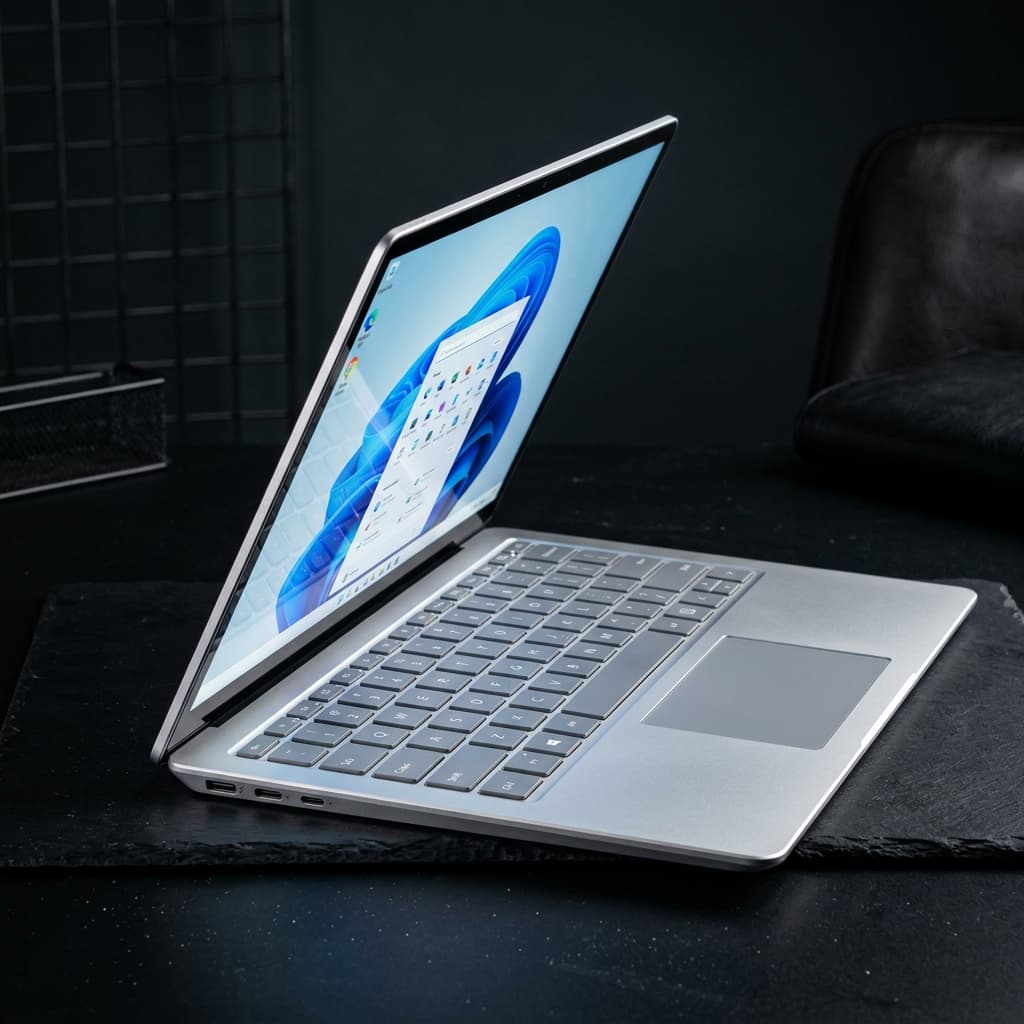
Microsoft Surface Laptop 7 (Snapdragon X Elite)
The vanguard of Copilot+ PCs, introducing Windows on ARM that finally competes with Apple Silicon. The Snapdragon X Elite integrates a massive 45 TOPS Hexagon NPU, delivering ultra-low latency for local on-device AI tasks.
- Key
- value
- Npu
- Qualcomm Hexagon (45 TOPS)
- Soc
- Qualcomm Snapdragon X Elite (X1E-80-100)
- Memory
- 16GB or 32GB LPDDR5x (8448 MT/s)
The decision
Where it wins
- Class-leading 45 TOPS NPU for instant local AI inference
- Stunning fanless-like thermal efficiency and battery life
- Premium haptic touchpad and aluminum unibody build
Where it doesn't
- x86 emulation overhead for legacy specialized software
- Gaming performance is limited by driver compatibility
Specifications
Structured product data, grouped by system.
Core hardware01
| Fabrication Process | 4nm (TSMC) |
|---|
Memory & compute01
| Memory | 16GB or 32GB LPDDR5x (8448 MT/s) |
|---|
AI & acceleration01
| Cpu Cores | 12-core Qualcomm Oryon (up to 3.4GHz, 4.0GHz boost) |
|---|
Display & media01
| Display | 13.8 or 15-inch PixelSense Flow (120Hz) |
|---|
Physical & connectivity01
| Connectivity | Wi-Fi 7, Bluetooth 5.4 |
|---|
Other specifications03
| Key | value |
|---|---|
| Npu | Qualcomm Hexagon (45 TOPS) |
| Soc | Qualcomm Snapdragon X Elite (X1E-80-100) |
Read the record
- Source on record
- microsoft.com
The Surface Laptop 7 is the first Windows machine where the Apple Silicon comparison is a fair fight rather than a wish. Forty-five TOPS of NPU means Windows' on-device AI features run with genuinely low latency, and the battery life and thermal behaviour are in a category Windows laptops had not previously reached. For a Windows-committed professional who travels, this is a real alternative rather than a compromise. ARM is the caveat, and how much it costs you depends entirely on your software. Mainstream applications run natively or emulate well; specialised legacy tools, some drivers, and most games do not. The honest test is to list the five applications you cannot work without and check each one before buying, because the emulation overhead is not something you can prompt your way around.
The Surface Laptop 7 is the first Windows machine where the Apple Silicon comparison is a fair fight rather than a wish. The Snapdragon X Elite's 45 TOPS Hexagon NPU means Windows' on-device AI features run with genuinely low latency, and the battery life and thermal behaviour reach a category Windows laptops had not previously touched.
What the specs translate to
A 12-core Oryon CPU on a 4nm process, LPDDR5x at 8448 MT/s, a 120Hz PixelSense display, and Wi-Fi 7. In practice: a fanless-feeling machine that stays cool and lasts a full travel day, with a premium haptic touchpad and aluminium unibody that match the price.
The ARM caveat
How much it costs you depends entirely on your software:
| Runs well | Runs badly or not at all |
|---|---|
| Mainstream apps (native or good emulation) | Specialised legacy x86 tools |
| Microsoft 365, browsers, Copilot+ features | Some hardware drivers |
| Most development toolchains | Most games (driver compatibility) |
The honest test is to list the five applications you cannot work without and check each one before buying. Emulation overhead is not something you can work around.
Who should buy
Windows-committed enterprise travellers, developers building for Copilot+ features, and productivity users who value battery over compatibility.
Frequently Asked Questions
Who is Microsoft Surface Laptop 7 (Snapdragon X Elite) for?↓
What are the drawbacks of Microsoft Surface Laptop 7 (Snapdragon X Elite)?↓
What does Microsoft Surface Laptop 7 (Snapdragon X Elite) do well?↓
How much does Microsoft Surface Laptop 7 (Snapdragon X Elite) cost?↓
What is the Fathom Layer design score for Microsoft Surface Laptop 7 (Snapdragon X Elite)?↓
Alternatives to consider
See all alternatives →Memory on record
- Another option Apple MacBook Pro 16" (M3 Max)
Equipped with a powerful M3 Max chip featuring a 16-core CPU and 40-core GPU.
Explore its evidenceDesign score 9.8/10 - Another option Dell XPS 14 (Intel Core Ultra)
Premium minimalist design
Explore its evidenceDesign score 9.1/10 - Another option MacBook Pro 16" M4 Max
Up to 36-core CPU and 80-core GPU for heavy workloads
24GB unified memory, 36GB unified memoryDesign score 9.2/10
Where to buy
Purchase links may earn Fathom Layer a commission, at no extra cost to you. As an Amazon Associate we earn from qualifying purchases.
Further reading
Featured badge
Building this product? Add the badge to your site to show it’s in the index.

<a href="https://fathomlayer.com/compute/premium-laptops/surface-laptop-7-snapdragon" target="_blank" rel="noopener noreferrer"><img src="https://fathomlayer.com/fathom-badge.svg" alt="Featured on Fathom Layer" width="250" height="54" /></a>