
Apple
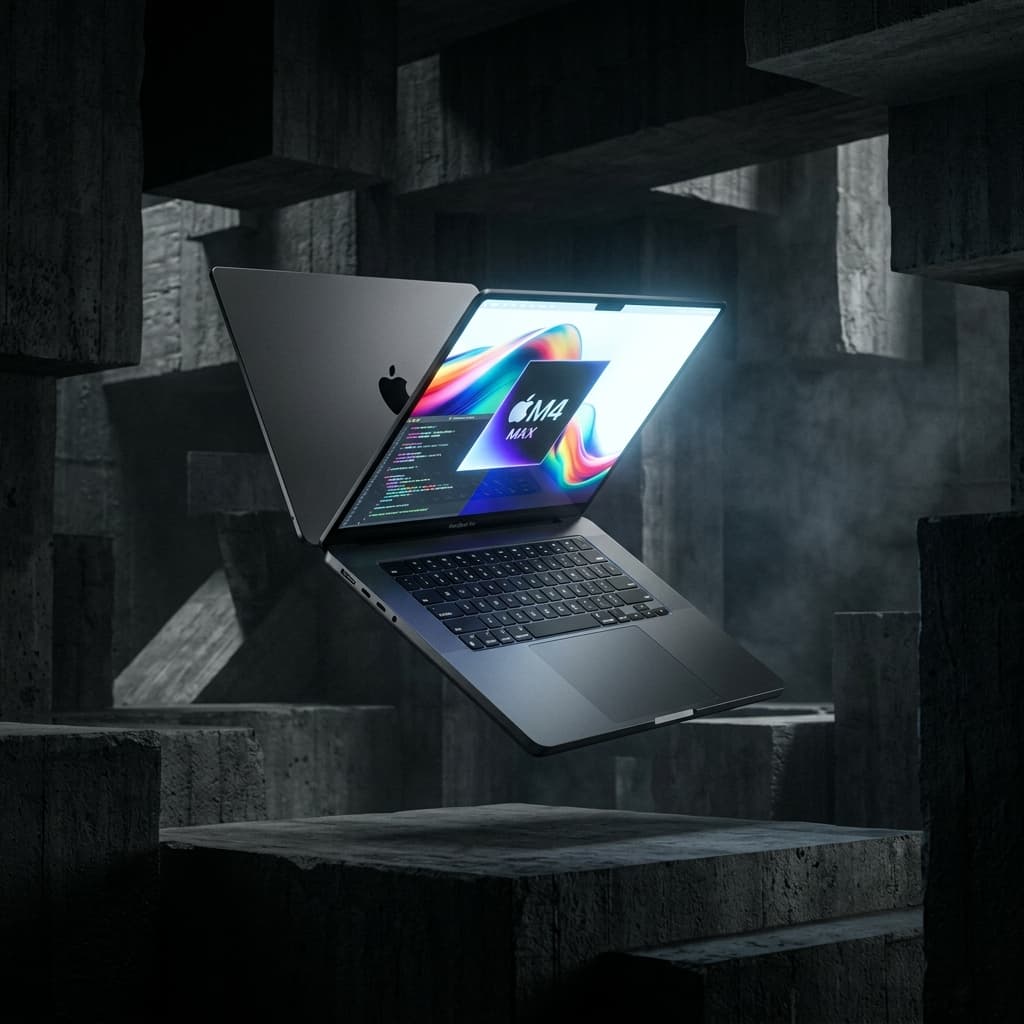
MacBook Pro 16" M4 Max
A flagship mobile workstation designed for peak performance-per-watt and heavy local AI inference.
- NPU
- 38 TOPS (Neural Engine)
- RAM
- Up to 128GB Unified
- GPU
- Up to 80-core GPU
- Chip
- Apple M4 Pro chip, Apple M4 Max chip
The decision
Where it wins
- Up to 36-core CPU and 80-core GPU for heavy workloads
- Up to 24 hours of battery life for extended use
- Multiple high-speed ports for versatile connectivity
Where it doesn't
- Expensive price point of $3399
- Limited storage options starting at 512GB
Key Features
- ✦Apple M4 Max chip
- ✦Up to 80-core GPU
- ✦Up to 24 hours battery life
- ✦Multiple high-speed ports
- ✦1TB SSD storage
Specifications
Structured product data, grouped by system.
Core hardware03
| GPU | Up to 80-core GPU |
|---|---|
| Chip | Apple M4 Pro chip, Apple M4 Max chip |
| Processor | Apple M4 Max |
Memory & compute04
| RAM | Up to 128GB Unified |
|---|---|
| Memory | 24GB unified memory, 36GB unified memory |
| Memory Bandwidth | 1.2TB/s memory bandwidth |
| Configurable Memory | 36GB, 48GB, 64GB, 128GB |
AI & acceleration01
| Cores | Up to 36-core CPU with 12 super cores and 24 performance cores |
|---|
Display & media01
| Display | 16.2" Liquid Retina XDR |
|---|
Power & thermal04
| Battery | Up to 22 hours |
|---|---|
| Battery | 100-watt-hour lithium-polymer battery |
| Battery Life Max | Up to 21 hours video streaming, Up to 14 hours wireless web |
| Battery Life Pro | Up to 24 hours video streaming, Up to 17 hours wireless web |
Physical & connectivity08
| Ports | 3x Thunderbolt 4, HDMI, SDXC, MagSafe 3 |
|---|---|
| Weight | 2.14 kg |
| Charging Ports | SDXC card slot, HDMI port, 3.5 mm headphone jack, MagSafe 3 port, Three Thunderbolt 5 (USB-C) ports |
| Size And Weight / Depth | 9.77 inches (24.81 cm) |
| Size And Weight / Width | 14.01 inches (35.57 cm) |
| Size And Weight / Height | 0.66 inch (1.68 cm) |
| Size And Weight / Weight Max | 4.7 pounds (2.15 kg) |
| Size And Weight / Weight Pro | 4.7 pounds (2.14 kg) |
Other specifications15
| NPU | 38 TOPS (Neural Engine) |
|---|---|
| Cable | USB-C to MagSafe 3 Cable |
| Storage | Up to 8TB SSD |
| Adapter | 140W USB-C Power Adapter |
| Storage Max | 1TB SSD, Configurable to: 2TB, 4TB, or 8TB |
| Storage Pro | 512GB SSD, Configurable to: 1TB, 2TB, or 4TB |
| Neural Engine | 32-core Neural Engine |
| Operating Requirements / Frequency | 50Hz to 60Hz |
| Operating Requirements / Line Voltage | 100V to 240V AC |
| Operating Requirements / Relative Humidity | 0% to 90% noncondensing |
| Operating Requirements / Operating Altitude | tested up to 10,000 feet (3000 meters) |
| Operating Requirements / Storage Temperature | -13° to 113° F (-25° to 45° C) |
| Operating Requirements / Operating Temperature | 50° to 95° F (10° to 35° C) |
| Operating Requirements / Maximum Storage Altitude | 15,000 feet |
| Operating Requirements / Maximum Shipping Altitude | 35,000 feet |
Read the record
- Source on record
- apple.com
The MacBook Pro 16" M4 Max is a high-performance mobile workstation designed for professionals requiring peak processing power and efficiency. It offers up to 36 cores and 80-core GPU, making it ideal for demanding tasks like AI inference and video editing. The machine's battery life is impressive, with up to 24 hours of video streaming and 17 hours of wireless web browsing. However, its price point and limited storage options may be prohibitive for some users. The MacBook Pro 16" M4 Max is best suited for those who need top-tier performance and can justify the cost.
The M4 Max is the only laptop chip that can comfortably run large local language models without being tethered to a wall outlet. Up to 128GB of unified memory addressable by the GPU and Neural Engine — plus a 38 TOPS NPU — is what makes that possible, and it is the reason to buy this specific machine.
What the specs translate to
Unified memory means model weights, KV cache and working buffer share one fast pool with no PCIe copy, so a 70B-class quantised model loads and runs on battery. The 16.2" Liquid Retina XDR display is genuinely reference-grade for video work, and Apple's performance-per-watt means up to 22 hours of real battery and sustained speed with no throttling under load.
The trade-offs
- Memory upgrades are priced punitively. The jump to 64GB or 128GB — the configurations that matter for local AI — costs far more than the equivalent RAM anywhere else.
- Closed ecosystem. Some open-source and CUDA-dependent tooling simply does not have a macOS path.
Who should buy
High-end video editors, and local-AI developers who prefer macOS and will actually use 64GB+ of memory. If your workflow is CUDA-bound, or you only need 16–24GB, the Apple tax is not worth paying.
Frequently Asked Questions
Who is MacBook Pro 16" M4 Max for?↓
What are the drawbacks of MacBook Pro 16" M4 Max?↓
What does MacBook Pro 16" M4 Max do well?↓
How much does MacBook Pro 16" M4 Max cost?↓
What is the Fathom Layer design score for MacBook Pro 16" M4 Max?↓
Alternatives to consider
See all alternatives →Memory on record
- Another option Apple MacBook Pro 16" (M3 Max)
Equipped with a powerful M3 Max chip featuring a 16-core CPU and 40-core GPU.
Explore its evidenceDesign score 9.8/10 - Another option Apple MacBook Neo
All-aluminium build at $699
8GB 8GB unified memoryDesign score 8.8/10 - Another option Apple MacBook Air (M5)
Completely silent under normal load
16GB 16GB unified memory Configurable to: 24GB or 32GBDesign score 9.6/10
Where to buy
Purchase links may earn Fathom Layer a commission, at no extra cost to you. As an Amazon Associate we earn from qualifying purchases.
Further reading
Featured badge
Building this product? Add the badge to your site to show it’s in the index.

<a href="https://fathomlayer.com/compute/premium-laptops/macbook-pro-16-m4-max" target="_blank" rel="noopener noreferrer"><img src="https://fathomlayer.com/fathom-badge.svg" alt="Featured on Fathom Layer" width="250" height="54" /></a>