
Dell
Dell XPS 14 (Intel Core Ultra)
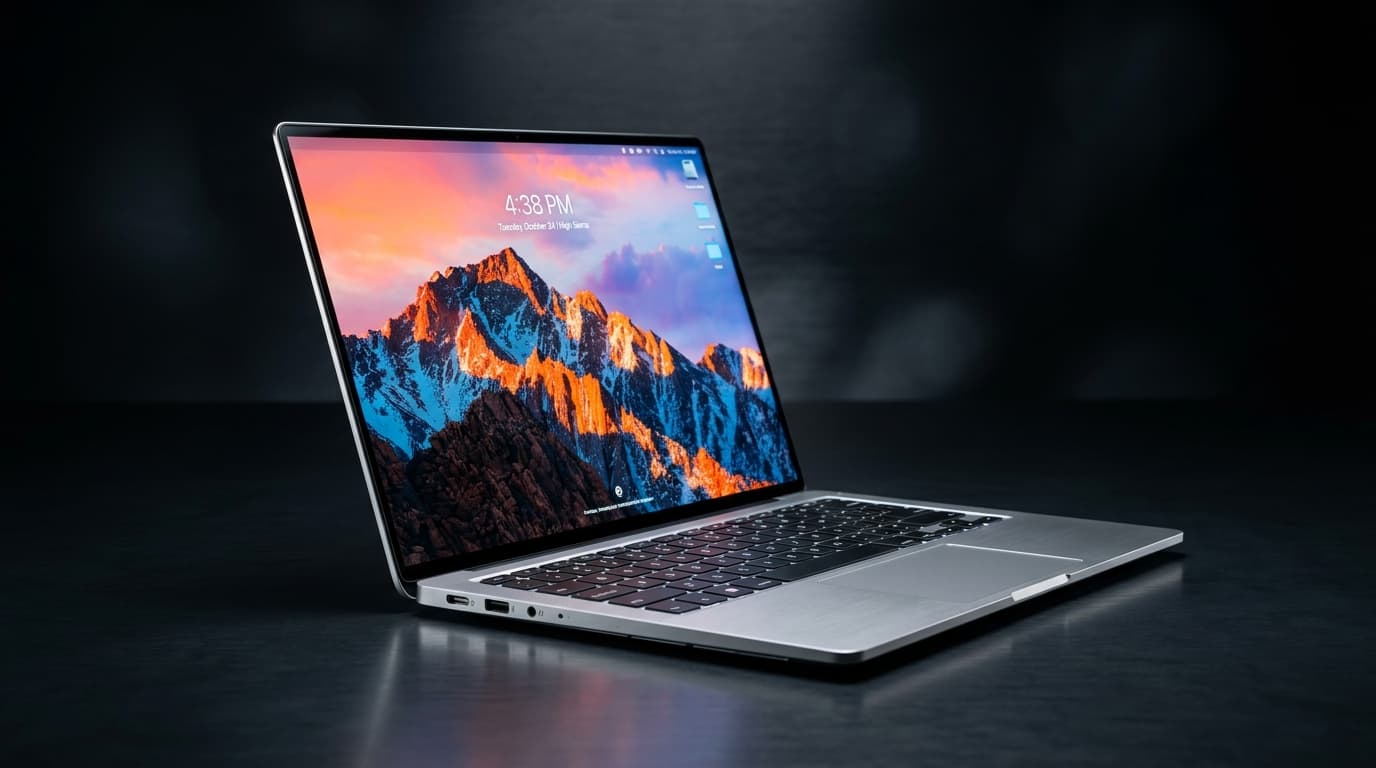
A premium, minimalist Windows laptop integrating native NPU hardware and optional dedicated graphics.
- NPU
- Intel AI Boost (10 TOPS)
- RAM
- Up to 64GB LPDDR5x
- Ports
- 3x Thunderbolt 4, microSD, Headphone jack
- Camera
- 8MP HDR IR
The decision
Where it wins
- Premium minimalist design
- Dedicated RTX graphics option
- Solid Intel NPU integration
Where it doesn't
- Invisible haptic trackpad has a learning curve
- Thermal throttling under heavy GPU load
Specifications
Structured product data, grouped by system.
Core hardware05
| Processor | Intel Core Ultra 7 155H |
|---|---|
| Processor Model | 358H |
| Processor Family | Series 3 Intel Core Ultra X7 |
| Processor Frequency | 1.50 / 4.80 GHz (18MB Cache, 16 Cores) |
| On-Board Graphics Card Model | Intel Arc B390 Graphics |
Memory & compute03
| RAM | Up to 64GB LPDDR5x |
|---|---|
| Internal Memory | 32 GB 9600 MHz (Soldered, not upgradable) |
| Internal Memory Type | LPDDR5X-SDRAM |
Display & media04
| Display | 14.5" 3.2K OLED Touch |
|---|---|
| Storage Media | SSD |
| Display Diagonal | 35.6 cm (14") |
| Display Resolution | 2880 x 1800 pixels |
Power & thermal02
| Battery | 3-cell, 70 Wh |
|---|---|
| Power Supply | 100W AC adapter, USB Type-C |
Physical & connectivity04
| Ports | 3x Thunderbolt 4, microSD, Headphone jack |
|---|---|
| Weight | 1.68 kg |
| Form Factor | Clamshell |
| Ports & Slots | Thunderbolt 4 (USB Type-C) with DisplayPort 2.1 and Power Delivery, Universal Audio Jack |
Other specifications12
| NPU | Intel AI Boost (10 TOPS) |
|---|---|
| Camera | 8MP HDR IR |
| HD Type | 2.8K |
| Product | Dell XPS 14 DA14260 Copilot+ PC |
| Storage | Up to 4TB PCIe Gen4 SSD |
| Keyboard | Graphite, Backlit, English International Keyboard with AI hotkey |
| Warranty | 2-year Care Plus Onsite |
| Product Type | Laptop |
| VPro Security | Disabled |
| Product Colour | Graphite |
| Mobile Broadband | Not supported |
| Operating System Installed | Windows 11 Home |
Read the record
- Source on record
- dell.com
The XPS 14 balances aesthetic minimalism with raw x86 power. The inclusion of Intel's Core Ultra brings native NPU hardware to the Windows ecosystem, though the thermal constraints of the beautiful aluminum chassis prevent the optional RTX GPU from reaching its full potential.
The XPS 14 pairs aesthetic minimalism with x86 power, and the Core Ultra 7 155H brings a native 10 TOPS NPU to a chassis that looks like it belongs next to a MacBook. The 14.5" 3.2K OLED touch panel is the highlight, and up to 64GB of LPDDR5x plus an optional dedicated RTX GPU make it a light creative machine rather than just a thin-and-light.
Where the design fights the spec
The beautiful aluminium chassis is a thermal constraint. Under heavy GPU load the optional RTX cannot hold its full clocks, so treat the dedicated graphics as "occasional CUDA and light rendering," not "mobile workstation." The invisible haptic trackpad and capacitive function row are polarising and take real time to adjust to.
The trade-offs
- 10 TOPS NPU is below the Copilot+ threshold that Snapdragon and newer Intel parts clear — some on-device AI features run in a reduced mode or not at all.
- Thermal throttling caps sustained GPU work.
- No price advantage over rivals for the raw performance you get.
Who should buy
Windows users who want a MacBook-like object and will mostly do CPU-bound work, plus light creators who need occasional CUDA. Heavy or sustained GPU workloads want a thicker chassis.
Frequently Asked Questions
Who is Dell XPS 14 (Intel Core Ultra) for?↓
What are the drawbacks of Dell XPS 14 (Intel Core Ultra)?↓
What does Dell XPS 14 (Intel Core Ultra) do well?↓
How much does Dell XPS 14 (Intel Core Ultra) cost?↓
What is the Fathom Layer design score for Dell XPS 14 (Intel Core Ultra)?↓
Alternatives to consider
See all alternatives →- Another option Microsoft Surface Laptop 7 (Snapdragon X Elite)
Class-leading 45 TOPS NPU for instant local AI inference
16GB or 32GB LPDDR5x (8448 MT/s)Design score 9.2/10 - Another option Apple MacBook Pro 16" (M3 Max)
Equipped with a powerful M3 Max chip featuring a 16-core CPU and 40-core GPU.
Explore its evidenceDesign score 9.8/10 - Another option MacBook Pro 16" M4 Max
Up to 36-core CPU and 80-core GPU for heavy workloads
24GB unified memory, 36GB unified memoryDesign score 9.2/10
Where to buy
Purchase links may earn Fathom Layer a commission, at no extra cost to you. As an Amazon Associate we earn from qualifying purchases.
Further reading
Featured badge
Building this product? Add the badge to your site to show it’s in the index.

<a href="https://fathomlayer.com/compute/premium-laptops/dell-xps-14-core-ultra" target="_blank" rel="noopener noreferrer"><img src="https://fathomlayer.com/fathom-badge.svg" alt="Featured on Fathom Layer" width="250" height="54" /></a>