
Apple
Apple MacBook Air (M5)
The fanless efficiency benchmark: desktop-class work in a silent chassis, from $1,099.
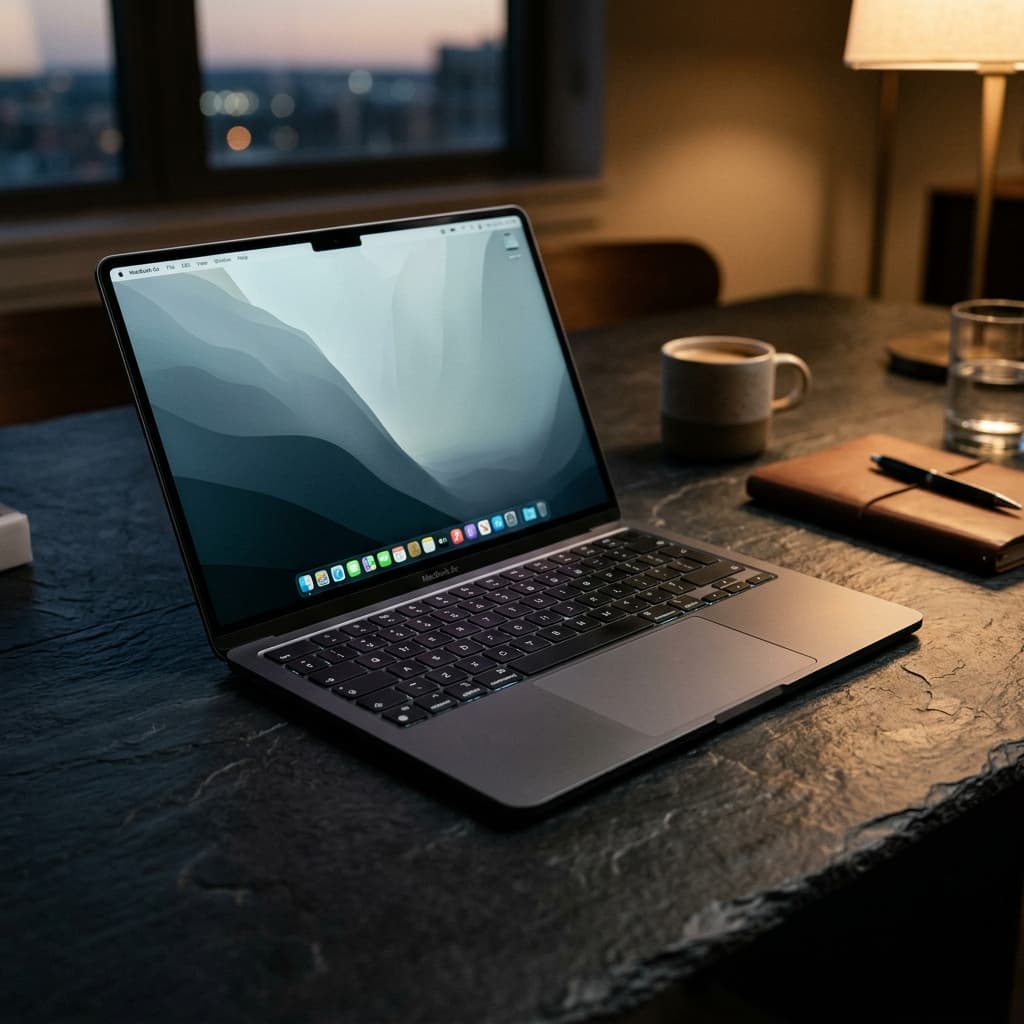
- Chip
- Apple M5 chip 10-core CPU with 4 super cores and 6 efficiency cores 10-core GPU Neural Accelerators Hardware-accelerated ray tracing 16-core Neural Engine 153GB/s memory bandwidth Media Engine Hardware-accelerated H.264, HEVC, ProRes, and ProRes RAW Video decode engine Video encode engine ProRes encode and decode engine AV1 decode
- Memory
- 16GB 16GB unified memory Configurable to: 24GB or 32GB
- Display
- Liquid Retina display 13.6-inch (diagonal) LED-backlit display with IPS technology; 2 2560-by-1664 native resolution at 224 pixels per inch 500 nits brightness Color Support for 1 billion colors Wide color (P3) True Tone technology
- Storage
- 512GB 512GB SSD Configurable to: 1TB, 2TB, or 4TB
The decision
Where it wins
- Completely silent under normal load
- Battery life that removes charger anxiety
- Very light for the performance on offer
Where it doesn't
- Throttles under sustained load — no fan to shed heat
- Not suitable for serious local model inference
- Memory and storage fixed at purchase
Specifications
Structured product data, grouped by system.
Core hardware01
| Chip | Apple M5 chip 10-core CPU with 4 super cores and 6 efficiency cores 10-core GPU Neural Accelerators Hardware-accelerated ray tracing 16-core Neural Engine 153GB/s memory bandwidth Media Engine Hardware-accelerated H.264, HEVC, ProRes, and ProRes RAW Video decode engine Video encode engine ProRes encode and decode engine AV1 decode |
|---|
Memory & compute03
| Memory | 16GB 16GB unified memory Configurable to: 24GB or 32GB |
|---|---|
| Memory Bandwidth | 153GB/s memory bandwidth |
| Configurable Memory | 24GB or 32GB |
AI & acceleration01
| Cpu Cores | 10-core CPU with 4 super cores and 6 efficiency cores |
|---|
Display & media08
| Display | Liquid Retina display 13.6-inch (diagonal) LED-backlit display with IPS technology; 2 2560-by-1664 native resolution at 224 pixels per inch 500 nits brightness Color Support for 1 billion colors Wide color (P3) True Tone technology |
|---|---|
| Display Size | 13.6-inch (diagonal) LED-backlit display with IPS technology; 2 2560-by-1664 native resolution at 224 pixels per inch |
| Media Engine | Hardware-accelerated H.264, HEVC, ProRes, and ProRes RAW |
| Display Color | Support for 1 billion colors, Wide color (P3), True Tone technology |
| Video Playback | Supported formats include HEVC, H.264, AV1, and ProRes, HDR with Dolby Vision, HDR10+/HDR10, and HLG |
| Display Brightness | 500 nits brightness |
| External Display Support | Supports up to two external displays: Two displays up to a native resolution of 6K at 60Hz or 4K at 144Hz, One display up to a native resolution of 8K at 60Hz or 5K at 120Hz or 4K at 240Hz |
| Battery Life Video Streaming | Up to 18 hours video streaming |
Power & thermal04
| Battery Type | Built-in 53.8-watt-hour lithium-polymer battery |
|---|---|
| Power Adapter | 40W Dynamic Power Adapter with 60W Max |
| Battery And Power | Up to 18 hours video streaming Up to 15 hours wireless web Built-in 53.8-watt-hour lithium-polymer battery 40W Dynamic Power Adapter with 60W Max USB-C to MagSafe 3 Cable (2 m) Fast-charge capable with 70W or higher USB PD power source |
| Battery Life Wireless Web | Up to 15 hours wireless web |
Physical & connectivity02
| Charging Ports | MagSafe 3 charging port, Two Thunderbolt 4 (USB-C) ports |
|---|---|
| Expansion Ports | 3.5 mm headphone jack |
Other specifications06
| Storage | 512GB 512GB SSD Configurable to: 1TB, 2TB, or 4TB |
|---|---|
| Keyboard | Backlit Magic Keyboard with: 78 (ANSI) or 79 (ISO) keys including 12 full-height function keys, Touch ID, Ambient light sensor |
| Audio Playback | Supported formats include AAC, MP3, Apple Lossless, FLAC, Dolby Digital, Dolby Digital Plus, and Dolby Atmos |
| Neural Accelerators | 16-core Neural Engine |
| Configurable Storage | 1TB, 2TB, or 4TB |
| Charging And Expansion | MagSafe 3 charging port 3.5 mm headphone jack Two Thunderbolt 4 (USB-C) ports with support for: Charging DisplayPort Thunderbolt 4 (up to 40Gb/s) USB 4 (up to 40Gb/s) MagSafe 3 3.5 mm headphone jack Thunderbolt 4 (USB-C) External Display Support Supports up to two external displays: Two displays up to a native resolution of 6K at 60Hz or 4K at 144Hz |
Read the record
- Source on record
- apple.com
The Air's achievement is that the machine disappears. No fan means no acoustic signal that you are working it hard, and for writing, research, browsing and ordinary development that silence is worth more than a benchmark number. Battery life follows from the same efficiency and removes the second thing people think about. Where it stops working is sustained load: without a fan, the chassis is the heatsink, so long video exports or extended local inference will throttle in a way the Pro simply does not. Treat the ceiling as real rather than theoretical. For a student, a writer or anyone whose heaviest task is a browser with sixty tabs, this is the correct machine and the Pro is a waste of money.
In-Depth Review: Apple MacBook Air (M5)
Starting at $1,099, the Apple MacBook Air (M5) is defined by its fanless thermal architecture, delivering desktop-class operational speed in a lightweight chassis without a single moving part.
Silent Efficiency in Daily Execution
By eliminating active cooling fans entirely, the M5 Air relies on its metal enclosure as the primary heatsink to dissipate thermal loads. In real-world knowledge work—such as writing, research, marketing execution, or running a web browser populated with sixty open tabs alongside text editors—the system operates in absolute silence. Because typical productivity workloads consist of brief performance bursts rather than continuous max-load generation, the machine remains completely quiet while maintaining immediate responsiveness. This high level of platform efficiency translates directly into extended battery life, removing charger anxiety during full working days and allowing the physical hardware to effectively disappear into the background of a task.
The Thermal and Hardware Ceiling
The explicit trade-off for zero acoustic output is a hard performance ceiling under continuous physical strain. Without an active fan to shed heat away from the processor, sustained heavy workloads cause the chassis to saturate thermally. During long video exports or extended local model inference, the system is forced to throttle performance to keep internal temperatures within operational boundaries. Buyers must treat this thermal boundary as a real structural limit rather than a theoretical edge case. Furthermore, hardware flexibility is restricted at the point of sale: both memory and storage are fixed at purchase and cannot be expanded later, requiring buyers to calculate their long-term capacity needs up front.
Targeted Deployment: Who Wins and Who Skips
For students, writers, marketing teams, and knowledge workers whose heaviest daily task involves browser-based workflows and document processing, the MacBook Air (M5) offers the optimal mix of portability, acoustic comfort, and compute speed. For these profiles, purchasing an actively cooled Pro model adds unnecessary cost and weight for cooling overhead that will never be engaged.
Conversely, technical buyers requiring sustained compute throughput should skip the Air entirely. Anyone planning to run serious local AI model inference, continuous code compilation loops, or extended video rendering sessions needs an actively cooled machine. Without internal fans to manage prolonged heat output, the Air's fanless chassis will inevitably throttle under those continuous engineering and media workloads.
Frequently Asked Questions
Who is Apple MacBook Air (M5) for?↓
What are the drawbacks of Apple MacBook Air (M5)?↓
What does Apple MacBook Air (M5) do well?↓
How much does Apple MacBook Air (M5) cost?↓
What is the Fathom Layer design score for Apple MacBook Air (M5)?↓
Alternatives to consider
See all alternatives →Memory on record
- Another option Apple MacBook Pro 16" (M3 Max)
Equipped with a powerful M3 Max chip featuring a 16-core CPU and 40-core GPU.
Explore its evidenceDesign score 9.8/10 - Another option MacBook Pro 16" M4 Max
Up to 36-core CPU and 80-core GPU for heavy workloads
24GB unified memory, 36GB unified memoryDesign score 9.2/10 - Another option Apple MacBook Neo
All-aluminium build at $699
8GB 8GB unified memoryDesign score 8.8/10
Where to buy
Purchase links may earn Fathom Layer a commission, at no extra cost to you. As an Amazon Associate we earn from qualifying purchases.
Further reading
Featured badge
Building this product? Add the badge to your site to show it’s in the index.

<a href="https://fathomlayer.com/compute/premium-laptops/apple-macbook-air-m5" target="_blank" rel="noopener noreferrer"><img src="https://fathomlayer.com/fathom-badge.svg" alt="Featured on Fathom Layer" width="250" height="54" /></a>