
Apple
Mac Studio (M3 Ultra)
Apple's compact workstation, now with 819 GB/s of unified memory bandwidth.
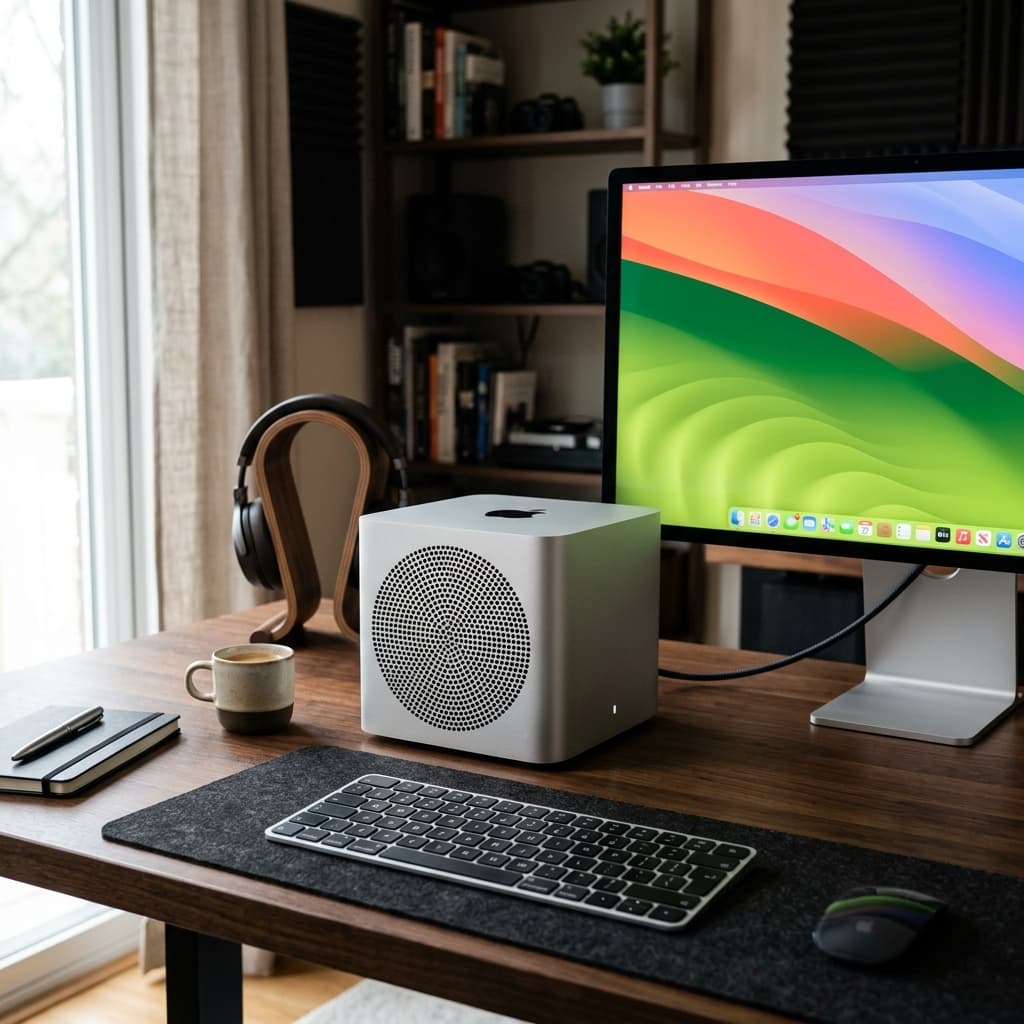
- EMC
- 8,859
- HDMI
- HDMI 2.1
- Color
- Silver
- Wi-Fi
- 802.11ax Wi-Fi 6E
The decision
Where it wins
- 819 GB/s unified memory bandwidth
- Very large unified memory pool holds models that exceed consumer VRAM
- Near-silent and power-efficient for the capability
Where it doesn't
- Outside the CUDA ecosystem — training and custom kernels are awkward
- Memory is fixed at purchase and cannot be upgraded
- Raw compute per pound trails a discrete GPU build
Specifications
Structured product data, grouped by system.
Core hardware05
| Model ID | Mac15,14 |
|---|---|
| Processor | Apple M3 Ultra |
| Processor Type | Apple M3 Ultra |
| Processor Speed | Approx. 4.0 GHz |
| Processor Upgrade | Soldered |
Memory & compute05
| Memory | 96 GB Unified Memory |
|---|---|
| RAM Slots | None |
| Maximum RAM | 256 GB* |
| Motherboard RAM | 96 GB standard; 256 GB configurable* |
| Memory Bandwidth | 819 GB/s |
Display & media03
| HDMI | HDMI 2.1 |
|---|---|
| Display Support | Up to 8 Displays |
| Resolution Support | Up to 7680 × 4320 (8K) |
Physical & connectivity04
| Weight | 8.0 lbs. (3.64 kg) |
|---|---|
| Dimensions | 3.7 × 7.7 × 7.7 inches |
| USB-A Ports | 2 |
| SDXC Card Slot | UHS-II |
Platform & software01
| Apple Order No. | MU973LL/A |
|---|
Other specifications11
| EMC | 8859 |
|---|---|
| Color | Silver |
| Wi-Fi | 802.11ax Wi-Fi 6E |
| Graphics | 60-Core GPU |
| Bluetooth | 5.3 |
| Maximum MacOS | Current |
| Headphone Jack | 3.5 mm |
| Standard Storage | 1 TB SSD |
| Standard Ethernet | 10 Gigabit Ethernet |
| Thunderbolt Ports | 6 Thunderbolt 5 (USB-C) |
| Storage Accessibility | Not User Accessible; Removable |
Read the record
- Source on record
- apple.com
Memory bandwidth is the quiet reason this machine matters for local inference. A discrete GPU wins on raw compute, but it loses the moment a model does not fit in its VRAM — and at 819 GB/s with a very large unified pool, the M3 Ultra holds open-weight models that would force a multi-GPU rig anywhere else. It does that on a desk, quietly, drawing a fraction of the power. The trade is CUDA: a great deal of the machine-learning ecosystem assumes NVIDIA, and while MLX has closed much of that gap for inference, training and anything depending on custom kernels remains awkward. If your work is running large open models rather than training them, this is the least compromised compact option available. If your toolchain says CUDA anywhere, buy the thing it asks for.
In-Depth Analysis: Mac Studio (M3 Ultra)
Starting at USD 3,999, Apple’s Mac Studio (M3 Ultra) is defined by its 819 GB/s of unified memory bandwidth paired with a massive unified memory pool. In local AI deployments, memory bandwidth is the critical factor for throughput, and this single specification dictates how effectively the machine processes large-scale inference workloads on a desktop.
Real-World Inference and Performance
The engineering advantage of the M3 Ultra lies in how its unified architecture translates to actual model execution. While a discrete GPU build offers higher raw compute per pound, discrete setups lose their edge the moment a model fails to fit within standard consumer VRAM. The M3 Ultra bypasses this boundary by allowing very large open-weight models to reside entirely inside its unified memory pool—workloads that would typically demand a complex, multi-GPU rig.
In practice, this allows local AI labs not tied to CUDA, as well as VFX and studio workflows, to run massive models directly at a desk. It achieves this performance while remaining near-silent and remarkably power-efficient, drawing a fraction of the electricity required by equivalent multi-card workstation setups. Frameworks such as MLX have closed much of the functional gap for running local inference on Apple silicon, establishing the Mac Studio as a quiet, self-contained engine for model execution.
Architectural Trade-offs and Limitations
The primary compromises of this architecture stem from operating outside the CUDA ecosystem. Because a vast portion of the machine-learning software landscape assumes NVIDIA hardware, performing model training or executing custom kernels on the M3 Ultra remains awkward. Buyers also trade away peak compute density: raw compute per dollar trails a dedicated discrete GPU build, meaning compute-bound operations optimized for CUDA will not see equivalent raw performance here.
Hardware expandability presents another long-term operational constraint. Unified memory is fixed at purchase and cannot be upgraded later. Buyers must calculate their peak memory footprint requirements on day one, as future increases in model parameters cannot be accommodated by adding physical memory to the existing chassis.
Buyer Advice
If your machine-learning toolchain or software stack explicitly requires CUDA at any point—whether for specialized training routines or custom kernel dependencies—skip the Mac Studio and purchase the NVIDIA hardware your toolchain asks for. However, if your primary workflow centers on running large open-weight models locally without managing the thermal output, power draw, and physical complexity of a multi-GPU rig, the Mac Studio (M3 Ultra) represents the least compromised compact workstation available.
Frequently Asked Questions
Who is Mac Studio (M3 Ultra) for?↓
What are the drawbacks of Mac Studio (M3 Ultra)?↓
What does Mac Studio (M3 Ultra) do well?↓
How much does Mac Studio (M3 Ultra) cost?↓
What is the Fathom Layer design score for Mac Studio (M3 Ultra)?↓
Alternatives to consider
See all alternatives →Memory on record
- Another option Nvidia GeForce RTX 5090 (32GB)
32GB GDDR7 — runs 70B-class models quantised on a single card
32GB GDDR7Design score 9.7/10 - Another option Nvidia GeForce RTX 5070 Ti (16GB)
16GB VRAM is the practical floor for comfortable local inference
16GB GDDR7Design score 9.3/10 - Another option Minisforum MS-S1 Max
128GB unified memory in a mini-PC chassis
up to 128 GB LPDDR5x-8000 MT/s with 256 GB/s bandwidthDesign score 9.2/10
Where to buy
Purchase links may earn Fathom Layer a commission, at no extra cost to you. As an Amazon Associate we earn from qualifying purchases.
Further reading
Featured badge
Building this product? Add the badge to your site to show it’s in the index.

<a href="https://fathomlayer.com/compute/local-ai-workstations/mac-studio-m3-ultra" target="_blank" rel="noopener noreferrer"><img src="https://fathomlayer.com/fathom-badge.svg" alt="Featured on Fathom Layer" width="250" height="54" /></a>