Apple
Apple M5 iPad Pro (OLED)
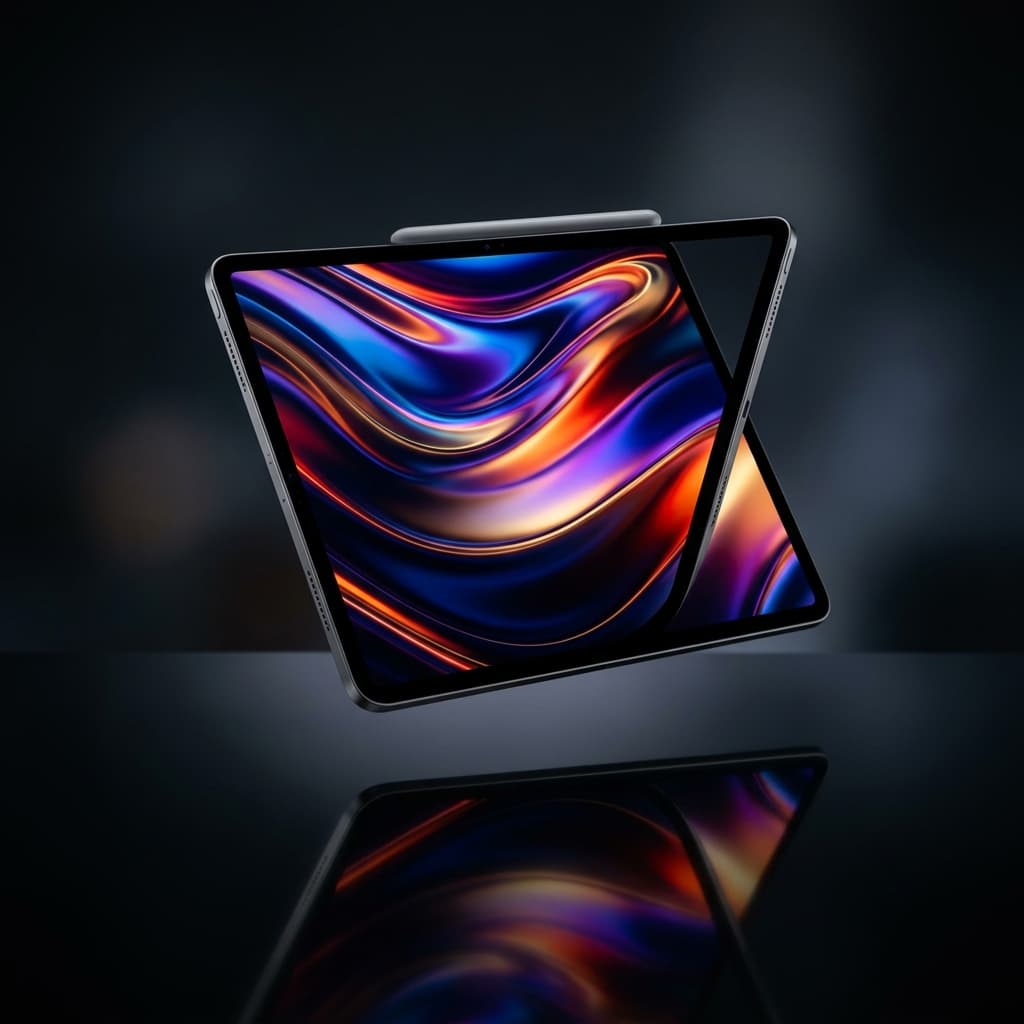
Apple's professional tablet with a Tandem OLED display and the M5 processor.
- Chip
- Apple M5 chip
- ESIM
- eSIM 9
- Wi-Fi
- Wi-Fi 7 (802.11be) with 2x2 MIMO 6
- Camera
- 12MP Wide camera, ƒ/1.8 aperture
The decision
Where it wins
- Stunning display
- Desktop-class performance
- Advanced eSIM technology
- LiDAR Scanner
- Support for Apple Pencil Pro
Where it doesn't
- iPadOS still limits multitasking
Key Features
- ✦Apple M5 chip
- ✦OLED display
- ✦10-core GPU
- ✦9-core CPU
- ✦LiDAR Scanner
- ✦Apple Pencil support
- ✦Wi-Fi 7
- ✦5G (sub-6 GHz) with 4x4 MIMO
- ✦eSIM
- ✦XDR brightness
Specifications
Structured product data, grouped by system.
Core hardware05
| Chip | Apple M5 chip |
|---|---|
| Processor | Apple M5 |
| Models A3358 And A3361 | 5G NR (Bands n1, n2, n3, n5, n7, n8, n12, n14, n20, n25, n26, n28, n29, n30, n38, n40, n41, n48, n66, n70, n71, n75, n77, n78, n79) 7 |
| Wi-Fi + Cellular Models | Up to 9 hours of surfing the web using cellular data network |
| Models A3358 And A3361 5G NR Bands | Bands n1, n2, n3, n5, n7, n8, n12, n14, n20, n25, n26, n28, n29, n30, n38, n40, n41, n48, n66, n70, n71, n75, n77, n78, n79 |
AI & acceleration03
| 9-Core CPU | 9-core CPU with 3 super cores and 6 efficiency cores |
|---|---|
| 10-Core CPU | 10-core CPU with 4 super cores and 6 efficiency cores |
| 10-Core GPU | 10-core GPU |
Display & media04
| Display | Ultra Retina XDR |
|---|---|
| Displays | rounded corners. When measured diagonally as a rectangle, the 13-inch iPad Pro is 13 inches, and the 11-inch iPad Pro is 11.1 inches. Actual viewable area is less |
| Media Engine | Hardware-accelerated H.264, HEVC, ProRes, and ProRes RAW |
| Nano-Texture Display Glass Option | on 1TB and 2TB models |
Power & thermal01
| Power And Battery | Built-in 38.99-watt-hour rechargeable lithium-polymer battery |
|---|
Physical & connectivity02
| Size And Weight | vary by configuration and manufacturing process |
|---|---|
| USB-C Digital AV Multiport Adapter | VGA, HDMI, DVI, and Thunderbolt 2 output supported using adapters (sold separately) 11 |
Platform & software02
| Apple Intelligence | Apple Intelligence 4 |
|---|---|
| Apple Pencil Support | Apple Pencil Pro, Apple Pencil (USB-C) |
Other specifications29
| ESIM | eSIM 9 |
|---|---|
| Wi-Fi | Wi-Fi 7 (802.11be) with 2x2 MIMO 6 |
| Camera | 12MP Wide camera, ƒ/1.8 aperture |
| TD-LTE | TD-LTE (Bands 34, 38, 39, 40, 41, 42, 48) |
| IPadOS | comes with powerful features and built-in apps designed to take advantage of the unique capabilities of iPad |
| FDD-LTE | FDD-LTE (Bands 1, 2, 3, 4, 5, 7, 8, 11, 12, 13, 14, 17, 18, 19, 20, 21, 25, 26, 28, 29, 30, 32, 66, 71) |
| Face ID | Enabled by TrueDepth camera for facial recognition |
| Sensors | Face ID, LiDAR Scanner, Three-axis gyro, Accelerometer, Barometer, Ambient light sensors |
| Wi-Fi 7 | available in countries and regions where supported |
| Bluetooth | Bluetooth 6 |
| Data Only | Data only 8 |
| Thickness | 5.1mm |
| Gigabit LTE | Gigabit LTE with 4x4 MIMO |
| Digital Zoom | up to 5x |
| TD-LTE Bands | Bands 34, 38, 39, 40, 41, 42, 48 |
| FDD-LTE Bands | Bands 1, 2, 3, 4, 5, 7, 8, 11, 12, 13, 14, 17, 18, 19, 20, 21, 25, 26, 28, 29, 30, 32, 66, 71 |
| Wi-Fi Calling | Wi-Fi calling 7 |
| 5G (Sub-6 GHz) | 5G (sub-6 GHz) with 4x4 MIMO |
| SDR Brightness | 1000 nits max |
| XDR Brightness | 1000 nits max full screen, 1600 nits peak (HDR content only) |
| 12MP Wide Camera | 12MP Wide camera, ƒ/1.8 aperture |
| FaceTime Calling | requires a FaceTime-enabled device for the caller and recipient and a Wi-Fi connection. Availability over a cellular network depends on carrier policies; data charges may apply |
| Operating System | iPadOS |
| Up To 4K AirPlay | for mirroring, photos, and video out to Apple TV (2nd generation or later) or AirPlay-enabled smart TV |
| Cellular Data Plan | sold separately. The model you purchase is configured to work with a particular cellular network technology. Check with your carrier for compatibility and cellular data plan availability |
| Fast-Charge Capable | Up to 50% charge in around 30 minutes with the 40W Dynamic Power Adapter with 60W Max or other USB-C power adapter capable of providing 60W or higher (adapters sold separately) 13 |
| UMTS/HSPA/HSPA+/DC-HSDPA | UMTS/HSPA/HSPA+/DC-HSDPA (850, 900, 1700/2100, 1900, 2100 MHz) |
| 5G, Gigabit LTE, And Wi-Fi Calling | available in select markets and through select carriers. Speeds are based on theoretical throughput and vary based on site conditions and carrier |
| IPad Pro Uses Advanced ESIM Technology | for more convenience and security (not compatible with physical SIM cards) |
Read the record
- Source on record
- support.apple.com
The Apple M5 iPad Pro (OLED) offers a powerful combination of hardware and features designed for professional use, including an advanced OLED display, the latest M5 chip, and a range of connectivity options. The inclusion of the LiDAR scanner and support for Apple Pencil Pro further enhances its capabilities for creative and professional tasks.
The M5 iPad Pro retains its impossibly thin 5.1mm design but introduces the M5 chip, massively accelerating ray-tracing and local machine learning tasks. It remains the gold standard for digital artists and mobile creatives.
The Radar
Field notes for this hardware — the trade-offs, tweaks and gotchas you only learn after living with it.
M5 iPad Pro: preventing burn-in on the tandem OLEDTroubleshooting
The iPad Pro's tandem OLED — two emissive layers sharing the load — cuts image-retention risk sharply versus a single-layer panel. The risk isn't zero for heavy users who keep one static interface on screen for hours, but a few habits remove it in practice.
Three habits
- Leave auto-brightness on. Don't pin the panel near its peak brightness indoors; let the ambient sensor pull it down. Sustained maximum brightness is the main accelerant of any OLED wear.
- Break up static layouts. If you use the iPad as a second monitor showing a fixed dashboard, set the display to sleep on a timer or run a moving screensaver rather than holding the same pixels lit all day.
- Use dark mode. On OLED, dark mode switches those pixels fully off — it saves meaningful battery and eliminates wear in the bright UI regions that would otherwise age fastest.
The rule
Auto-brightness on, no all-day static images, dark mode where you can. Do those three and tandem OLED burn-in stays a non-issue for the life of the device.
Frequently Asked Questions
Who is Apple M5 iPad Pro (OLED) for?↓
What are the drawbacks of Apple M5 iPad Pro (OLED)?↓
What does Apple M5 iPad Pro (OLED) do well?↓
How much does Apple M5 iPad Pro (OLED) cost?↓
Alternatives to consider
See all alternatives →- Another option Apple MacBook Air (M5)
Completely silent under normal load
16GB 16GB unified memory Configurable to: 24GB or 32GBDesign score 9.6/10 - Another option ThinkPad T14s Gen 6 Snapdragon
ARM efficiency brings true multi-day battery life
Explore its evidenceDesign score 8.8/10 - Another option Apple MacBook Pro 16" (M3 Max)
Equipped with a powerful M3 Max chip featuring a 16-core CPU and 40-core GPU.
Explore its evidenceDesign score 9.8/10
Where to buy
Purchase links may earn Fathom Layer a commission, at no extra cost to you. As an Amazon Associate we earn from qualifying purchases.
Further reading
Featured badge
Building this product? Add the badge to your site to show it’s in the index.

<a href="https://fathomlayer.com/compute/premium-laptops/apple-m5-ipad-pro" target="_blank" rel="noopener noreferrer"><img src="https://fathomlayer.com/fathom-badge.svg" alt="Featured on Fathom Layer" width="250" height="54" /></a>