
XREAL
XREAL One Pro
Virtual-monitor glasses at $499, aimed at working on a laptop without the laptop's screen size.
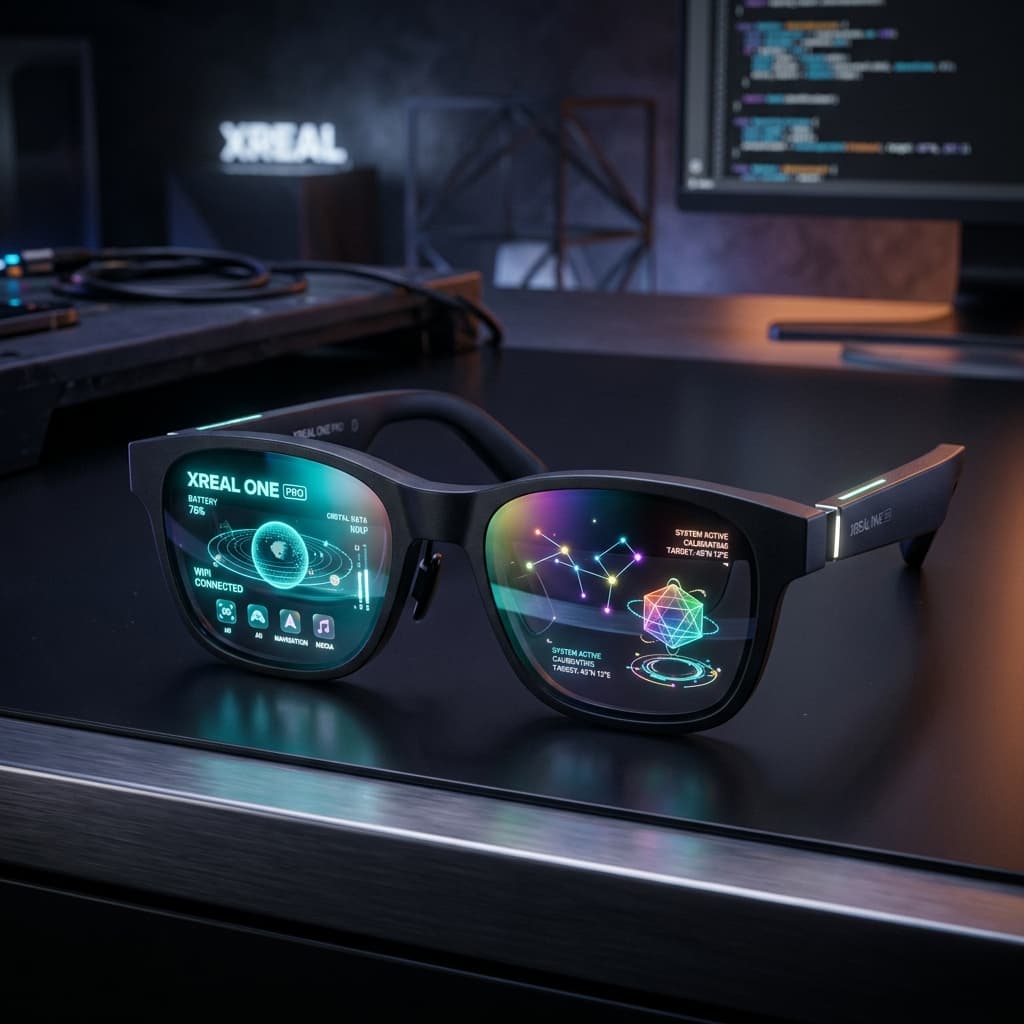
- DoF
- 0 DoF, Native 3 DoF, Anchor Mode enables both 3DoF and 6DoF spatial anchoring
- FOV
- 57°
- Audio
- Acoustic components specially designed for AR glasses, professionally tuned by BOSE
- Display
- 0.55-inch Sony Micro-OLED
The decision
Where it wins
- Large virtual displays that hold their position
- Mature Windows and macOS software
- Solves a real problem for laptop-bound work in transit
Where it doesn't
- Text sharpness falls short of a real high-resolution panel
- Comfort limits sessions to an hour or two
- Needs a compatible port or an adapter on some machines
Specifications
Structured product data, grouped by system.
Core hardware01
| X1 Chip | The Only Spatial Computing Chip on AR Glasses |
|---|
Memory & compute01
| Dynamic Frame Interpolation | up to 120 fps |
|---|
Display & media03
| Display | 0.55-inch Sony Micro-OLED |
|---|---|
| Screen Size | up to a 171 inch screen |
| Refresh Rate | 120 Hz |
Other specifications10
| DoF | 0 DoF, Native 3 DoF, Anchor Mode enables both 3DoF and 6DoF spatial anchoring |
|---|---|
| FOV | 57° |
| Audio | Acoustic components specially designed for AR glasses, professionally tuned by BOSE |
| M2P Latency | 3 ms |
| Compatibility | iPhone, iPad, Android, PC, Xbox, Steam Deck, Switch, Play Station 5, Mac, Drone Controller, ROG Ally |
| Color Accuracy | ΔE<3 |
| Image Correction | compensating and displaying each line simultaneously |
| IPD Compatibility | 57-66 mm & 66-75 mm |
| Lens Transparency | three levels of electronichromic (Theater Mode, Shade Mode, Clear Mode) |
| Stabilization Algorithm | self-Developed stabilization algorithm |
Read the record
- Source on record
- xreal.com
The pitch is a monitor in your pocket, and for the specific person it is aimed at, it lands. If your work requires more screen than a 14-inch laptop gives you, and you do that work in seat 24C or at a café table, these solve a problem nothing else solves at this size. The Windows and macOS software is the reason to pick XREAL over the alternatives — the virtual displays stay where you put them instead of drifting, which is the difference between a tool and a toy. Text sharpness is the limit: it is good enough for code and terminals, not good enough to replace a real 4K panel for detailed design work. And you are wearing them, which for most people caps a session at an hour or two.
The pitch is a monitor in your pocket, and for the person it targets, it lands. If your work needs more screen than a 14-inch laptop gives you, and you do that work in seat 24C or at a café table, the One Pro solves a problem nothing else solves at this size for $499.
Why XREAL over the alternatives
The mature Windows and macOS software. The virtual displays hold their position instead of drifting as you move your head — that stability is the difference between a tool and a toy, and it is where XREAL is ahead.
The limits
- Text sharpness is good enough for code and terminals, not good enough to replace a real 4K panel for detailed design work.
- Comfort caps most sessions at an hour or two.
- Some machines need a specific port or an adapter for video-over-USB-C.
Who should buy
Digital nomads working from planes and cafés, developers without room for a desk setup, and anyone who needs screen area more than screen fidelity. For colour-critical work or all-day use, a portable monitor is still the better answer.
Frequently Asked Questions
Who is XREAL One Pro for?↓
What are the drawbacks of XREAL One Pro?↓
What does XREAL One Pro do well?↓
How much does XREAL One Pro cost?↓
What is the Fathom Layer design score for XREAL One Pro?↓
Alternatives to consider
See all alternatives →- Another option Google Android XR Glasses
Platform-neutral — works natively on both Android and iOS
Explore its evidenceDesign score 9.0/10 - Another option TCL RayNeo Air 4 Pro
Bright display that holds up in lit cabins
Explore its evidenceDesign score 8.6/10 - Another option Dymesty AI Glasses
No camera at all — passes clean-desk and secure-site policies
Explore its evidenceDesign score 8.5/10
Where to buy
Purchase links may earn Fathom Layer a commission, at no extra cost to you. As an Amazon Associate we earn from qualifying purchases.
Further reading
Featured badge
Building this product? Add the badge to your site to show it’s in the index.

<a href="https://fathomlayer.com/ecosystem/ar-glasses/xreal-one-pro" target="_blank" rel="noopener noreferrer"><img src="https://fathomlayer.com/fathom-badge.svg" alt="Featured on Fathom Layer" width="250" height="54" /></a>