
Keychron
Keychron K3 HE
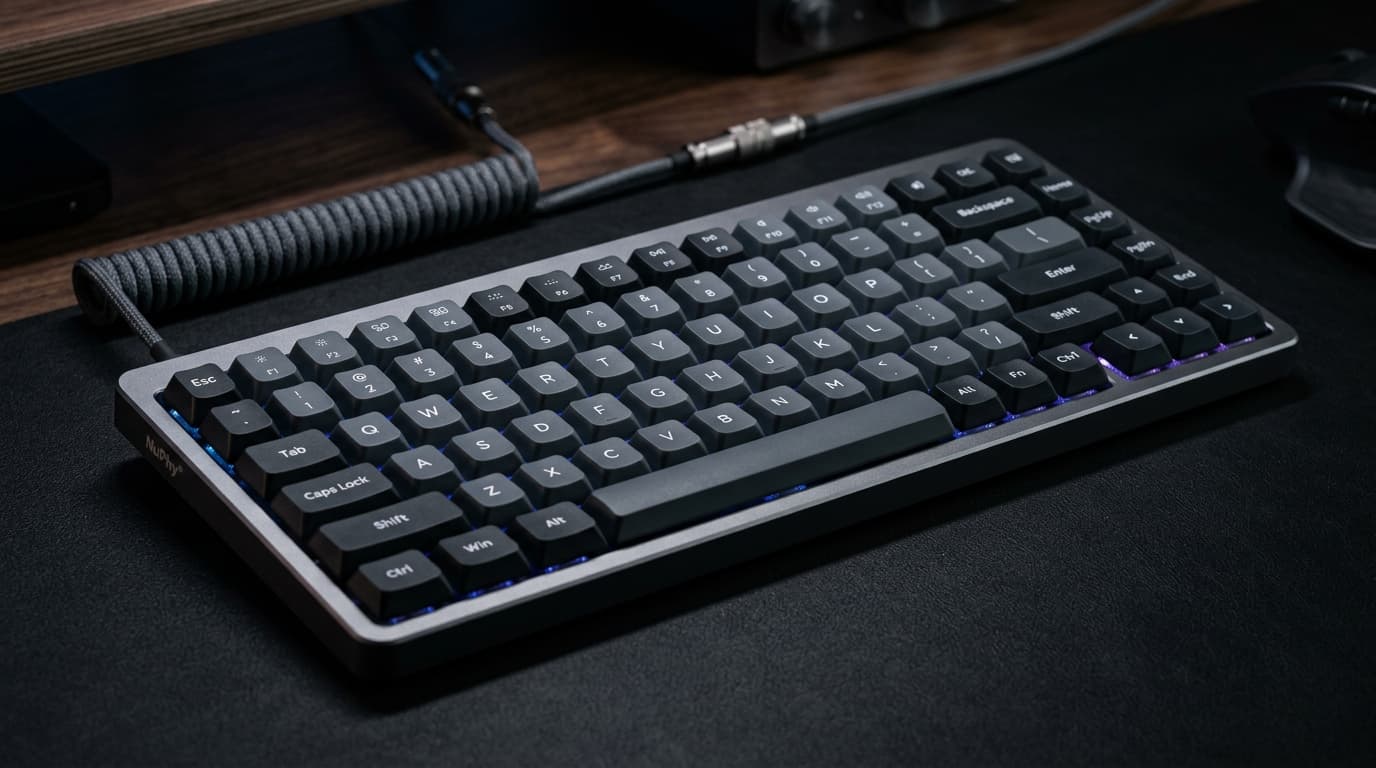
Low-profile mechanical keyboard with magnetic analog (Hall effect) switches, allowing per-key actuation adjustment and analog input. Listed in this index as a setup peripheral for desk-based local AI workstations.
- Type
- mechanical-keyboard
- Profile
- low-profile
- Firmware
- QMK open-source
- Switches
- magnetic analog (Hall effect)
The decision
Where it wins
- Magnetic Hall Effect switches
- Ultra-low profile design
- Customizable actuation points
Where it doesn't
- Battery life is shorter at 1000Hz polling
- ABS keycaps on standard variants
Specifications
Structured product data, grouped by system.
Memory & compute01
| Frame Material | Full Metal |
|---|
Physical & connectivity01
| Connectivity | 2.4 GHz Wireless |
|---|
Other specifications09
| Type | mechanical-keyboard |
|---|---|
| Profile | low-profile |
| Firmware | QMK open-source |
| Switches | magnetic analog (Hall effect) |
| Switch Foam | Premium acoustic foams such as sound absorbing foam and latex |
| Switch Type | Magnetic Switch |
| Polling Rate | 8K |
| Plate Material | CNC aluminum |
| Keycap Material | Low profile double-shot PBT |
Read the record
- Source on record
- keychron.com
The integration of Hall Effect magnetic switches into a low-profile chassis provides precise actuation control. It bridges the gap between mechanical typing feel and the low-travel requirements of extended coding sessions, featuring dynamic actuation points for different workflows.
The K3 HE puts Hall-effect magnetic switches into a low-profile chassis — a combination that barely exists elsewhere. The magnets mean per-key adjustable actuation and analogue input; the low profile means short travel that suits long coding sessions better than a full-height board.
What the analogue switches unlock
- Adjustable actuation point per key — a hair-trigger for gaming keys, a deeper press for the ones you fat-finger.
- Rapid trigger — register a release the instant the key moves up, for fast repeated inputs.
- Analogue input — map key depth to a joystick axis.
For typing at speed it also means no contact bounce and a consistent, quiet keystroke.
The trade-offs
- Battery life drops noticeably at the 1000Hz polling rate the analogue features want.
- Standard variants ship ABS keycaps, which wear shiny faster than PBT.
Who should buy
Fast typists who want mechanical feel in a low-profile board, minimalist desk setups, and anyone who wants Hall-effect adjustability without a tall keyboard. If you never leave the desk, a full-profile HE board gives you more travel and better battery.
Frequently Asked Questions
Who is Keychron K3 HE for?↓
What are the drawbacks of Keychron K3 HE?↓
What does Keychron K3 HE do well?↓
How much does Keychron K3 HE cost?↓
What is the Fathom Layer design score for Keychron K3 HE?↓
Alternatives to consider
See all alternatives →- Another option Aula F75
Gasket-mounted build and damped acoustics at $69
Explore its evidenceDesign score 9.2/10 - Another option Wooting 80HE
Hall Effect switches with adjustable actuation point
Explore its evidenceDesign score 9.7/10 - Another option Brio 4K
High-resolution 4K video quality
Explore its evidence
Where to buy
Purchase links may earn Fathom Layer a commission, at no extra cost to you. As an Amazon Associate we earn from qualifying purchases.
Further reading
Featured badge
Building this product? Add the badge to your site to show it’s in the index.

<a href="https://fathomlayer.com/compute/setup-peripherals/keychron-k3-he" target="_blank" rel="noopener noreferrer"><img src="https://fathomlayer.com/fathom-badge.svg" alt="Featured on Fathom Layer" width="250" height="54" /></a>